Certificate of Analysis platform
Submit every CoA in your client's format, validated and signed.
DASH takes your Certificate of Analysis, from a spreadsheet, PDF, or your own systems, and turns it into your client's required signed format, submitted straight to them. No reformatting for every customer.
- ASTM E3077 aligned
- Cryptographic multi-signature
- GAMP 5 validated
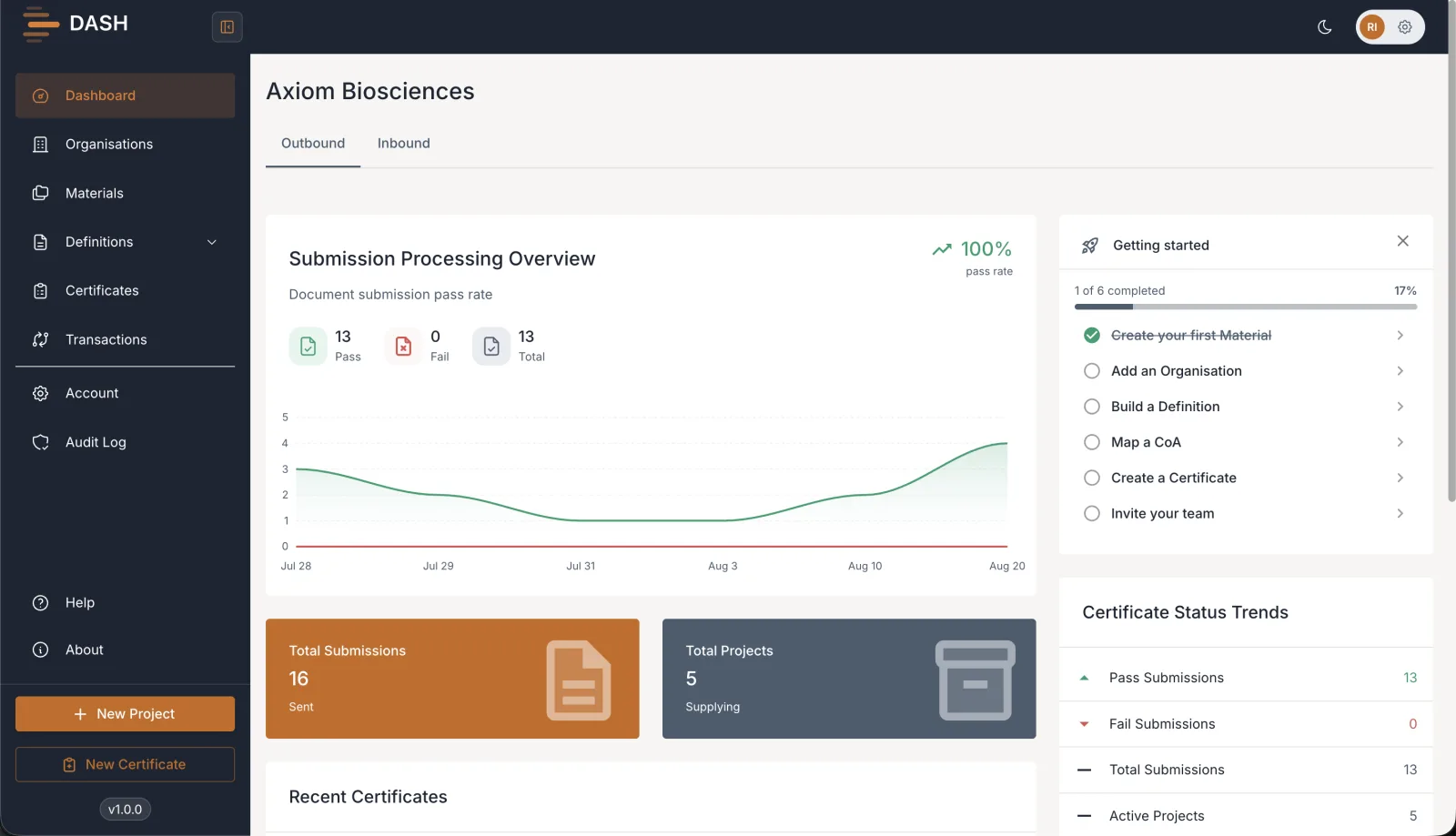
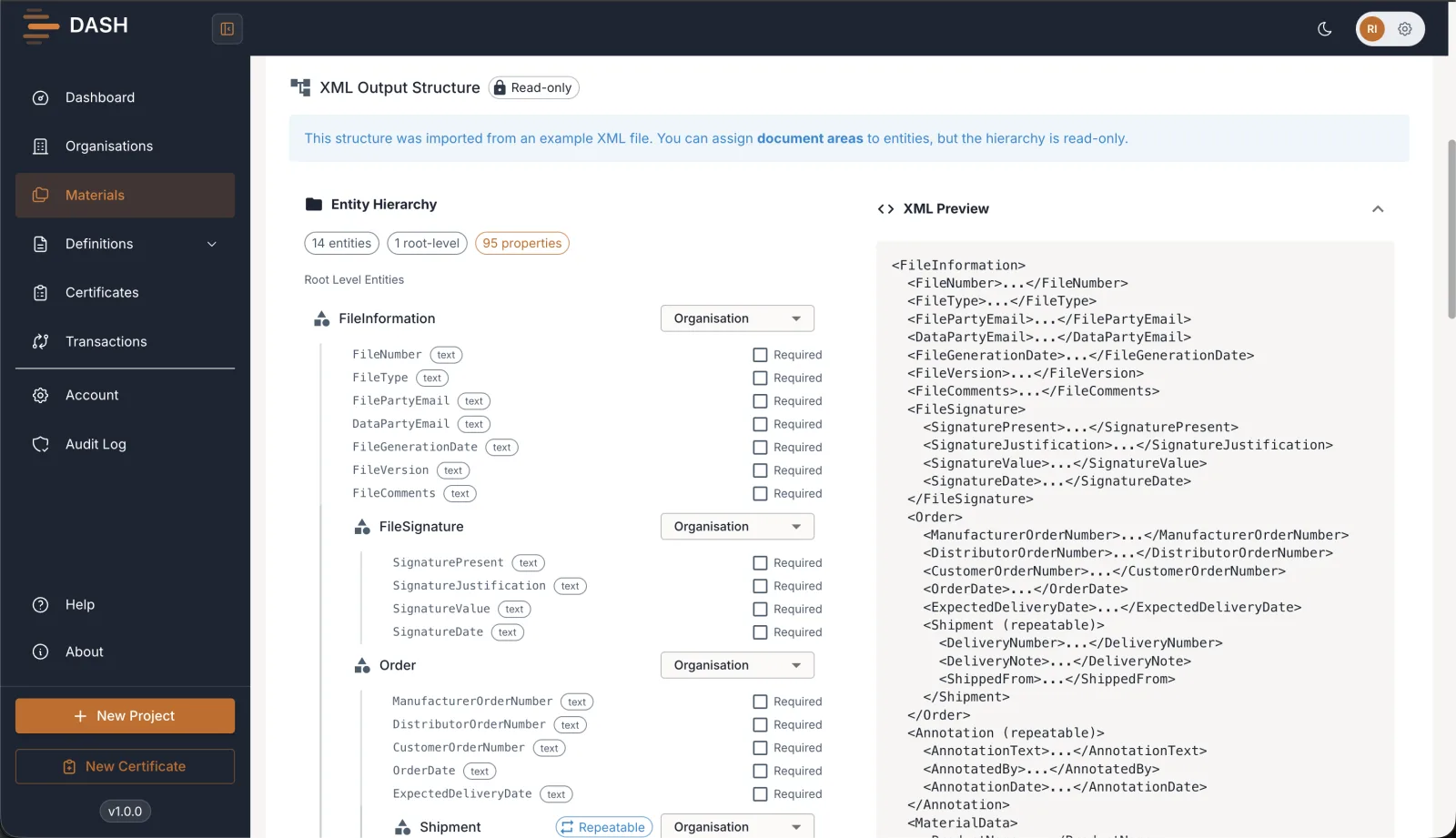
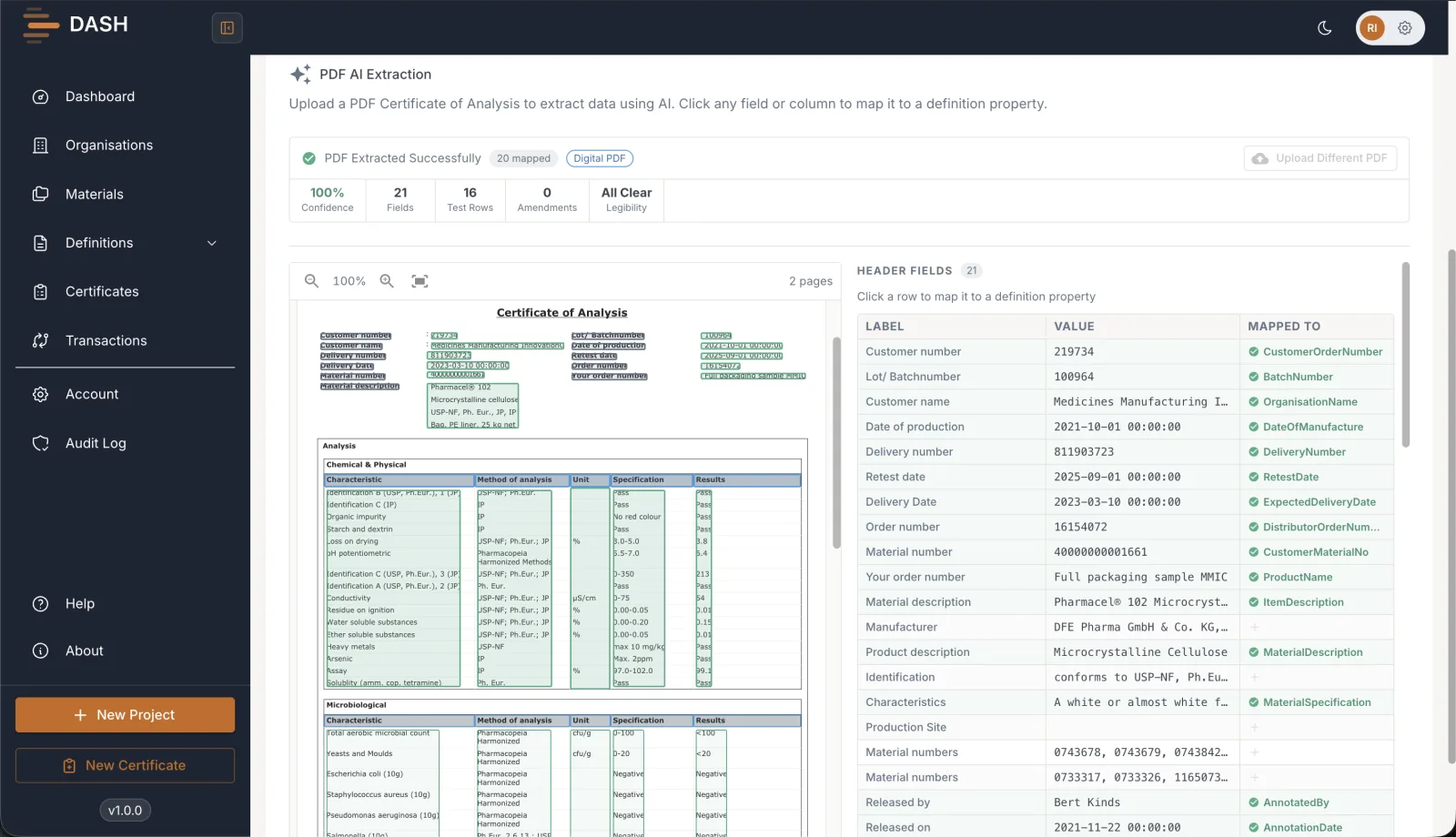
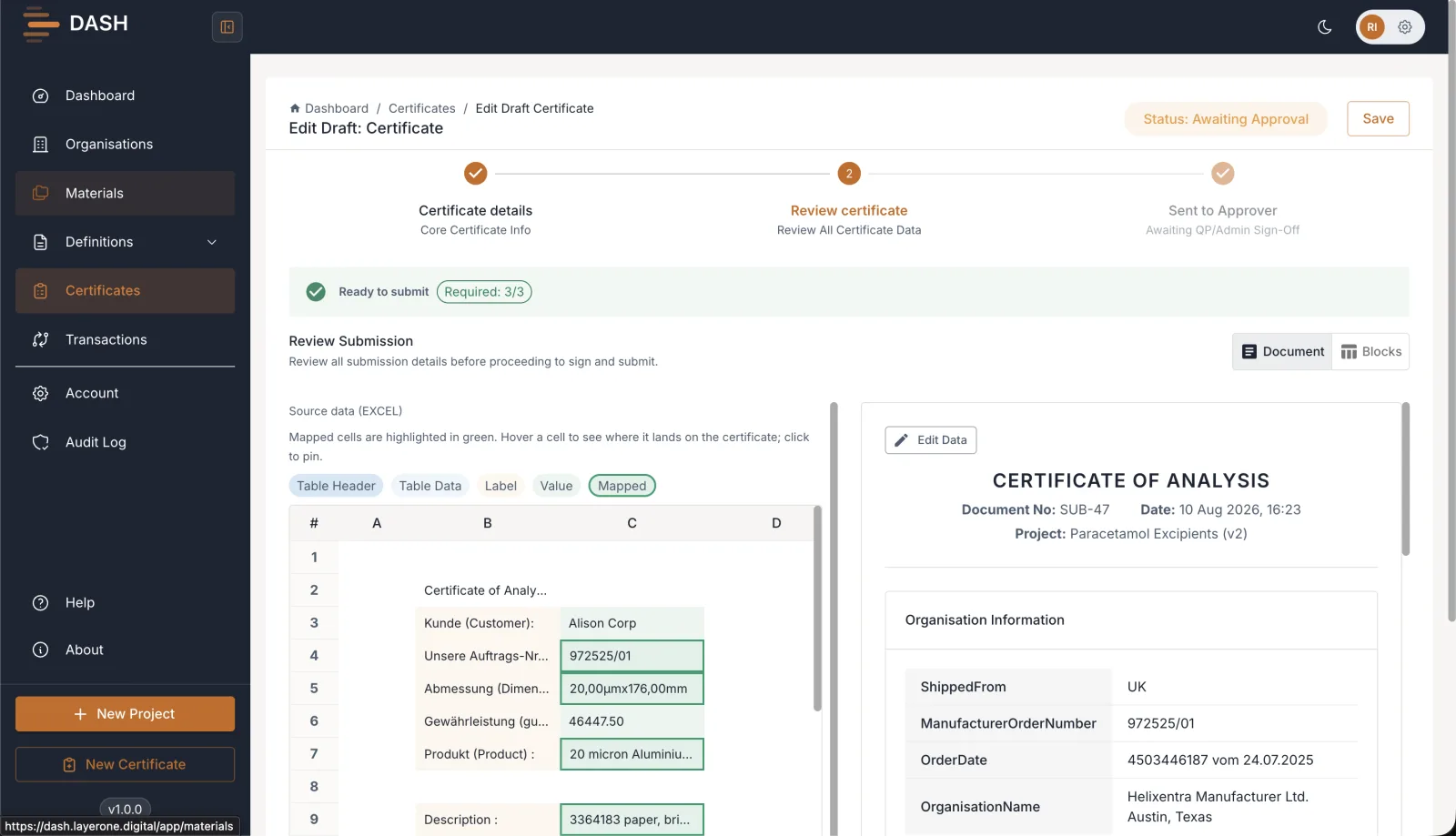
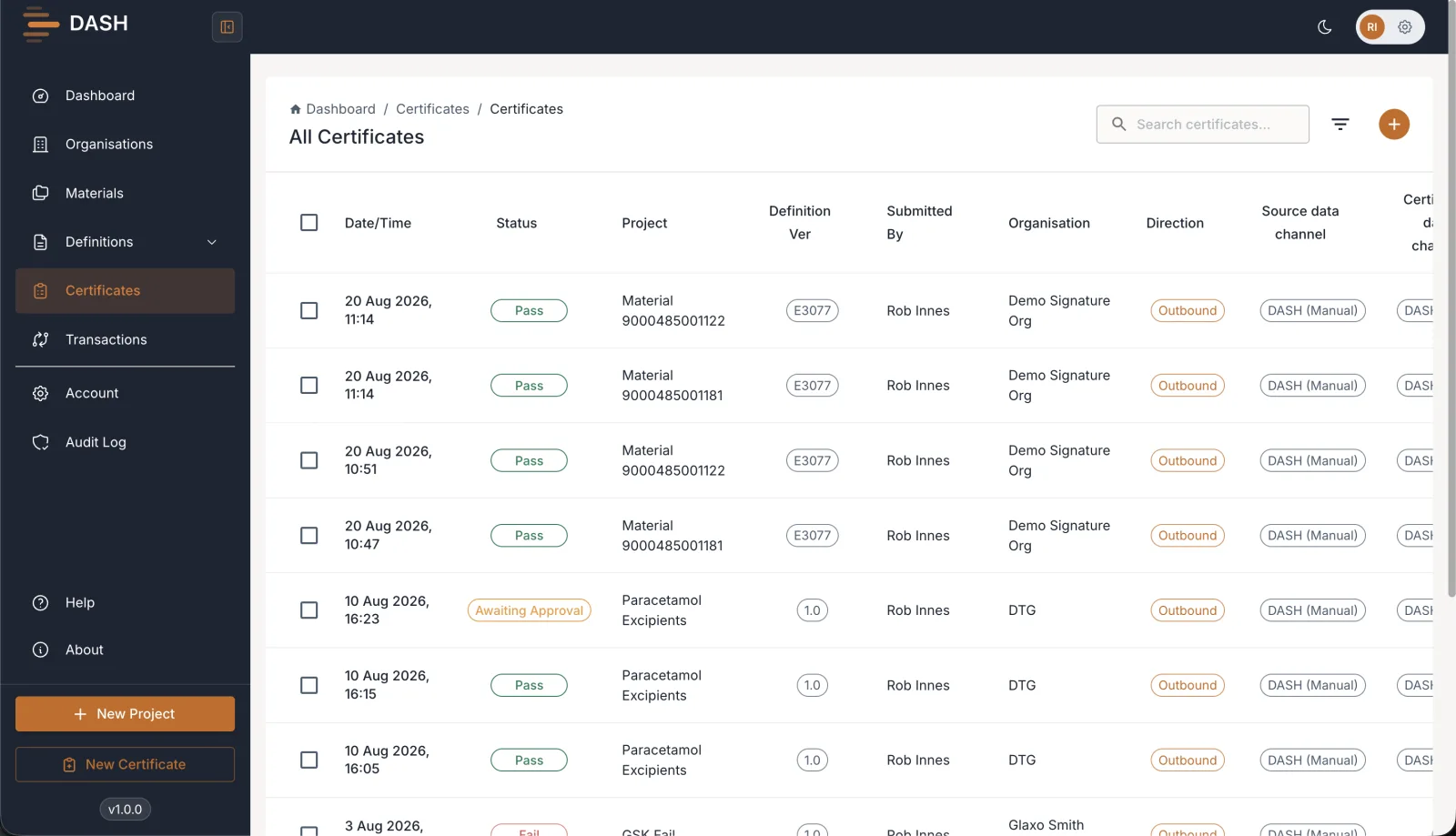
Stop reformatting a CoA for every client.
Serving several clients means a different format, ruleset, and submission channel for each. DASH handles all of it from one workflow, so your team reviews and signs instead of reformatting.
Doing it by hand
- A different format to reformat into for every client you serve
- Manual transcription from your spreadsheet or PDF, prone to error
- Signatures chased over email, with no reliable record
- Submissions and archives handled by hand, client by client
With DASH
- One workflow that outputs each client's required format for you
- Fields validated automatically before anything is sent
- Signed in-app with multi-signature and a full audit trail
- Submitted and archived straight to your client and your systems
*Illustrative of the change DASH is designed to deliver, not measured benchmarks.
See the hours DASH gives your QA team back.
Put in the CoAs your team handles each month. We'll estimate both the hands-on time and the calendar time DASH takes off the process, against how you work today.
Minutes each step takes your team today, per CoA.
Hands-on hours saved / month
422hrs
People freed
2.4FTE
That's 66% less hands-on effort on 320 CoAs a month, 80 needing rework.
Roughly 2.4 full-time people of QA effort, back on higher-value work.
*Estimates of the outcome DASH is designed to deliver, based on a typical CoA process. They are not measured benchmarks, and your numbers will vary.
From your CoA to your client, in four steps.
DASH automates the whole path from your data to a signed submission, so your team only steps in to review and sign.
- 0101
Bring in your CoA
Upload a spreadsheet, PDF or CSV, or pull it in automatically from your LIMS, Veeva, SharePoint or S3.
CSV · Excel · PDF · LIMS
- 0202
Map & validate
DASH maps your data to your client's required format and checks every field before anything is sent.
Client format · field checks
- 0303
Review & sign
Your team reviews and signs, with multi-signature support and a cryptographic signature on the record.
Multi-signature
- 0404
Submit & archive
The signed CoA is submitted to your client and archived back to your Veeva and SharePoint, all audited.
Client API · Veeva · SharePoint
Built for the teams who send CoAs.
Everything a supplier, vendor or CDMO needs to prepare, sign, submit and archive a compliant CoA, with the controls QA and IT demand.
Built to align with
Every client format, one workflow
Map your CoA to whatever structure each client requires, without building or maintaining an integration per customer.
Validation before you send
Field- and file-level checks catch problems in your CoA before it reaches your client, not after.
Signed, the way QA expects
Human-in-the-loop review with multi-signature support and a cryptographic signature on every record.
Automate the busywork
Pull CoAs in from LIMS, Veeva, SharePoint or S3 and let DASH map and validate, up to the point where you sign.
Submitted and archived for you
Send straight to your client's system, and keep the signed XML and PDF in your own Veeva and SharePoint.
Less manual work. Faster submissions. Full audit trail.
DASH changes how your team gets a CoA to a client, cutting manual effort and audit risk, without changing how you produce the CoA in the first place.
- Submit to every client in the format they require
- Free your QA team from manual reformatting and transcription
- Catch errors with validation before anything is sent
- Sign in-app with multi-signature and a full audit trail
- Archive signed CoAs to your own Veeva and SharePoint
- Automate ingestion from LIMS, Veeva, SharePoint and S3
*Illustrative targets: the outcomes DASH is designed to deliver, not measured benchmarks.
See DASH with one of your own CoAs.
Bring a real CoA and a client format, and we'll show you the whole path: mapped, validated, signed, and submitted. Book a walkthrough with our team, or sign in to the platform.